3. Importing an Existing Wallet
Learn how to import an existing Amadeus wallet using your Seed64.
Overview
If you already have a wallet with a Seed64, you can import it into the extension to access your funds and transaction history.
Prerequisites
- Your Seed64 (64-byte seed, Base58-encoded string)
- Access to the wallet extension
Step-by-Step Guide
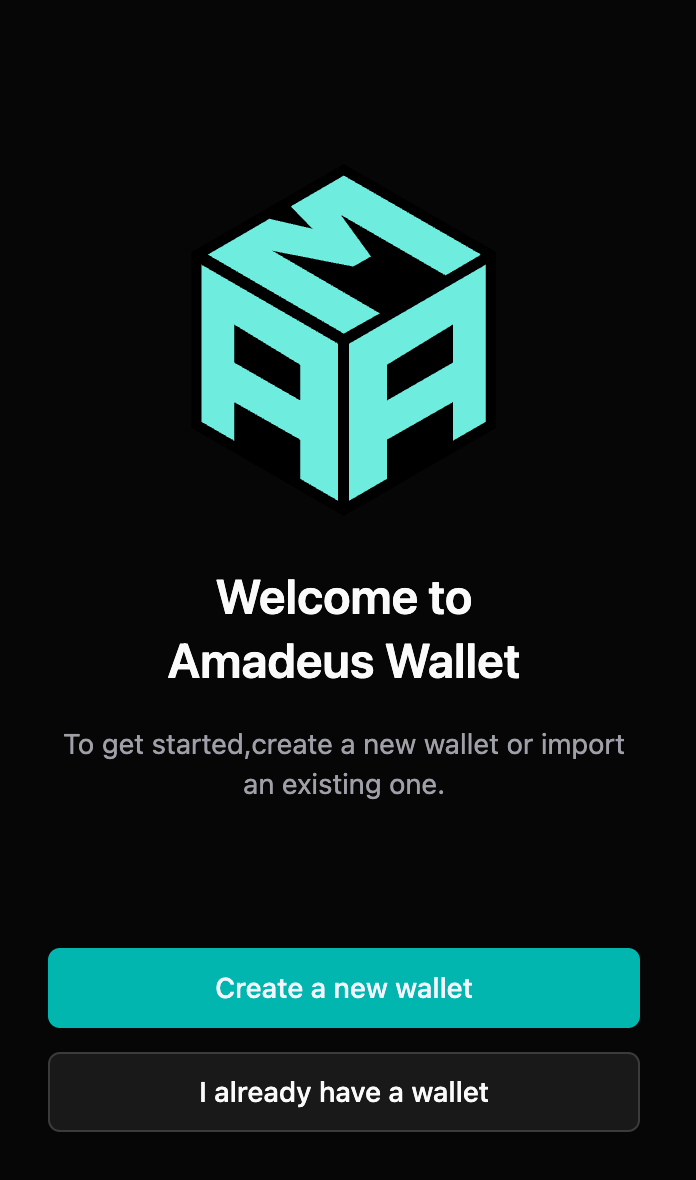
Step 1: Choose "I already have a wallet"
When you first open the extension, click "Import Existing Wallet" on the onboarding screen.
Step 2: Enter Your Seed64
- Enter your Seed64
- Paste your Seed64 string (Base58-encoded, typically 87-88 characters)
- The extension will validate the format as you type
- Ensure you have the complete Seed64 string
- Double-check your entry
- Verify all characters are correct
- Ensure no characters are missing
- Check for any extra spaces or line breaks
- The Seed64 should be a single continuous string
- Click "Continue"
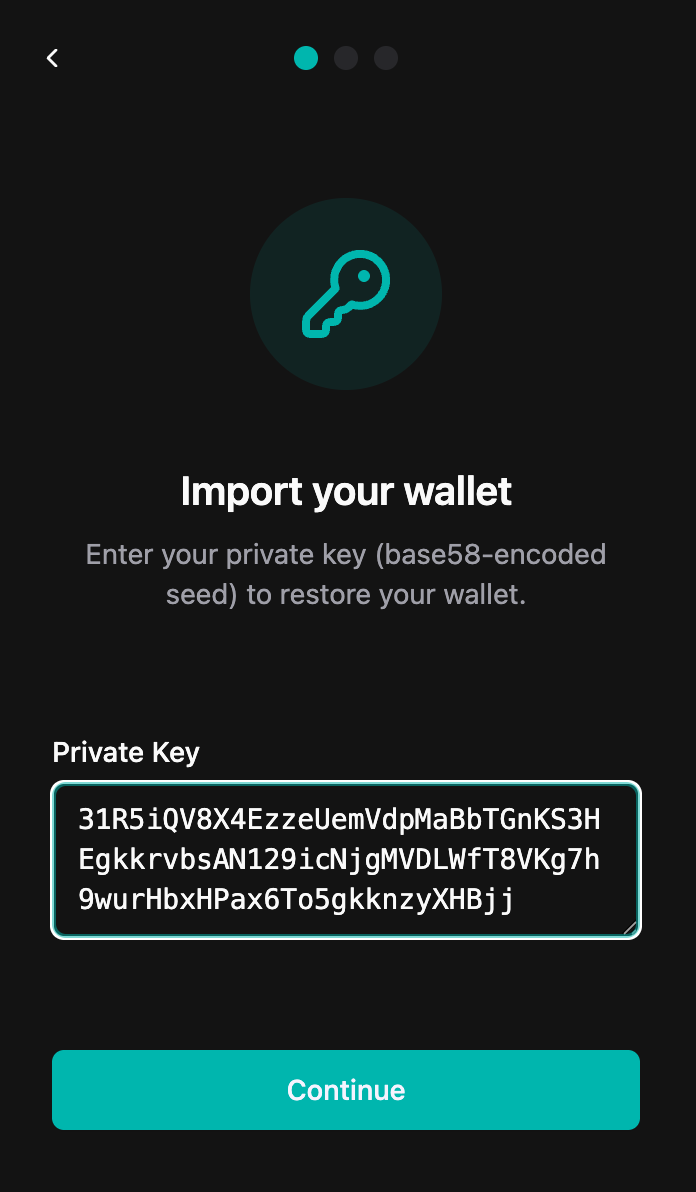
⚠️ Security Note: Make sure you're entering your Seed64 in a private, secure location. Never share your Seed64 with anyone.
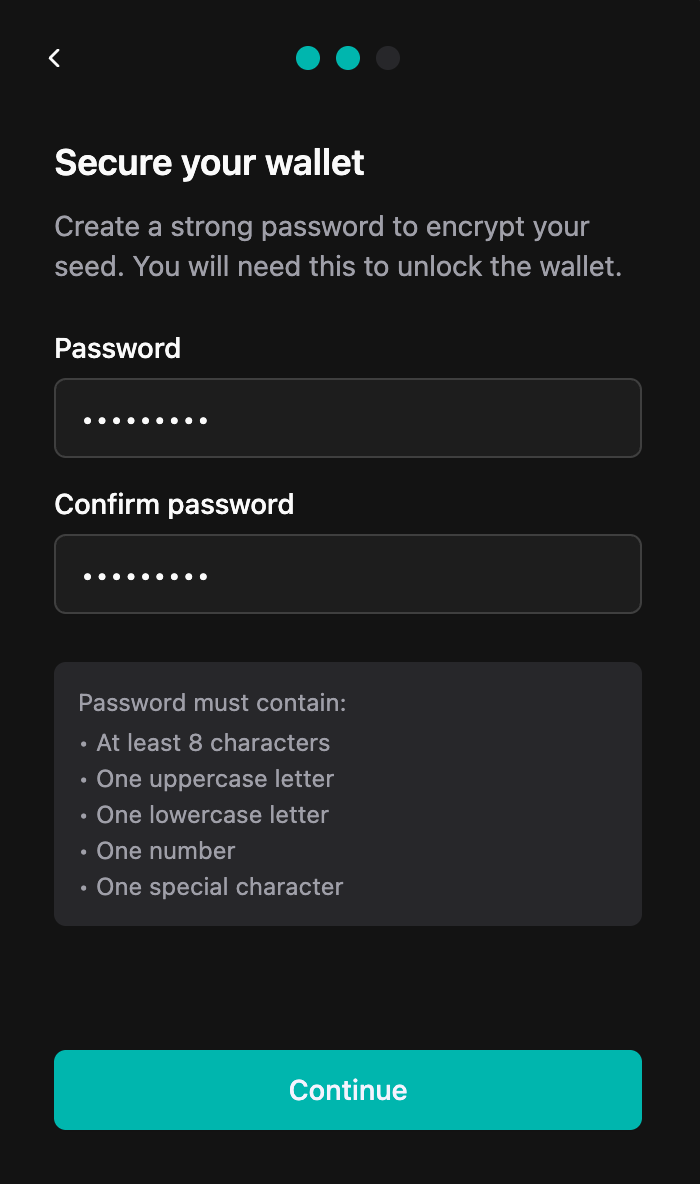
Step 3: Set Password
- Create a password for this wallet instance
- This password protects the wallet on this device
- It can be different from passwords used on other devices
- Minimum 8 characters recommended
- Confirm your password
- Re-enter the password to confirm
- Click "Continue"
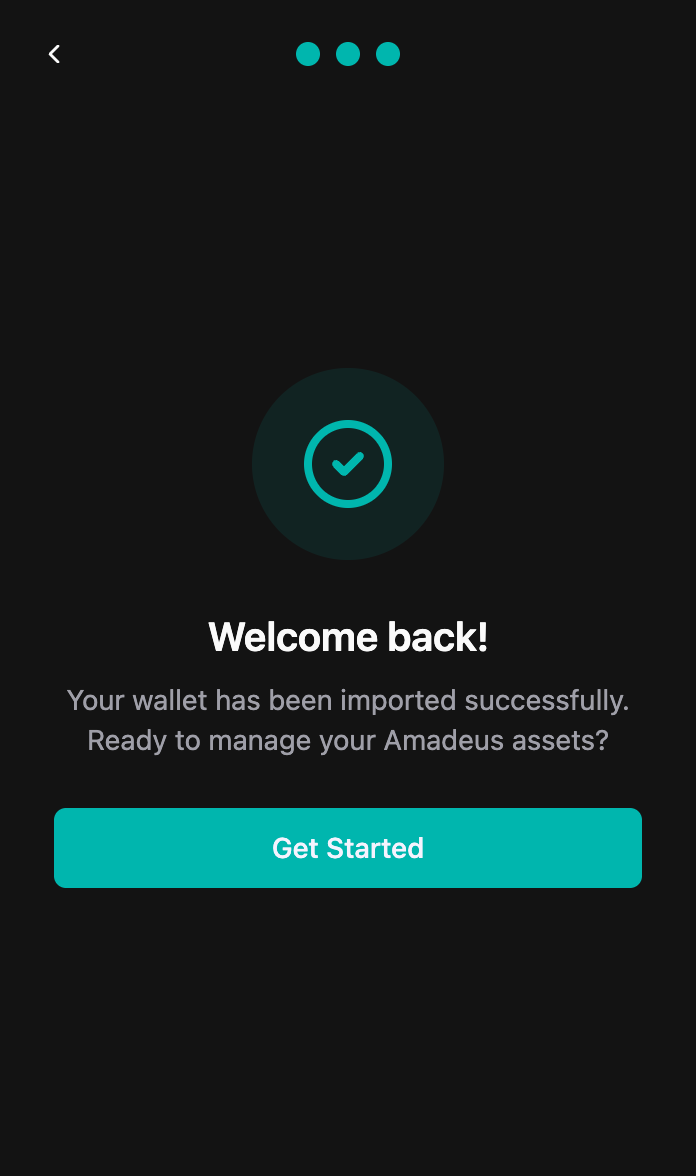
Step 4: Wallet Imported Successfully
Your wallet has been successfully imported!
- Your wallet address will be displayed
- Your balance and transaction history will sync
- Click "Get Started" to access your wallet
Verification
After importing, verify that:
- ✅ Your wallet address matches your expected address
- ✅ Your balance is correct (may take a moment to sync)
- ✅ Your transaction history appears (if any)
Troubleshooting
"Invalid Seed64" error
Possible causes:
- Incorrect Seed64 format
- Missing characters
- Extra spaces or line breaks
- Invalid Base58 encoding
Solutions:
- Double-check your Seed64 against your original backup
- Ensure the complete Seed64 string is entered
- Remove any extra spaces or line breaks
- Verify you're using the correct Seed64 for this wallet
- Ensure it's a valid Base58-encoded string (87-88 characters)
Balance not showing
Possible causes:
- Network connection issues
- Wrong network selected (Mainnet vs Testnet)
- Transaction history still syncing
Solutions:
- Check your internet connection
- Verify network settings in Settings → Networks
- Wait a few moments for sync to complete
- Refresh the extension
Transaction history missing
- Transaction history may take a few moments to load
- Ensure you're on the correct network (Mainnet/Testnet)
- Check that the wallet address matches your expected address
Security Reminders
- ✅ Only import wallets on trusted devices
- ✅ Ensure your device is secure and malware-free
- ✅ Never share your Seed64
- ✅ Use a strong password for the wallet
- ✅ Consider using a hardware wallet for large amounts