5. Sending Tokens
Learn how to send AMA tokens to other addresses using the Amadeus Wallet Extension.
Overview
Sending tokens allows you to transfer AMA tokens from your wallet to another address on the Amadeus blockchain.
Prerequisites
- Wallet must be unlocked
- Sufficient balance in your wallet
- Recipient's wallet address
Step-by-Step Guide
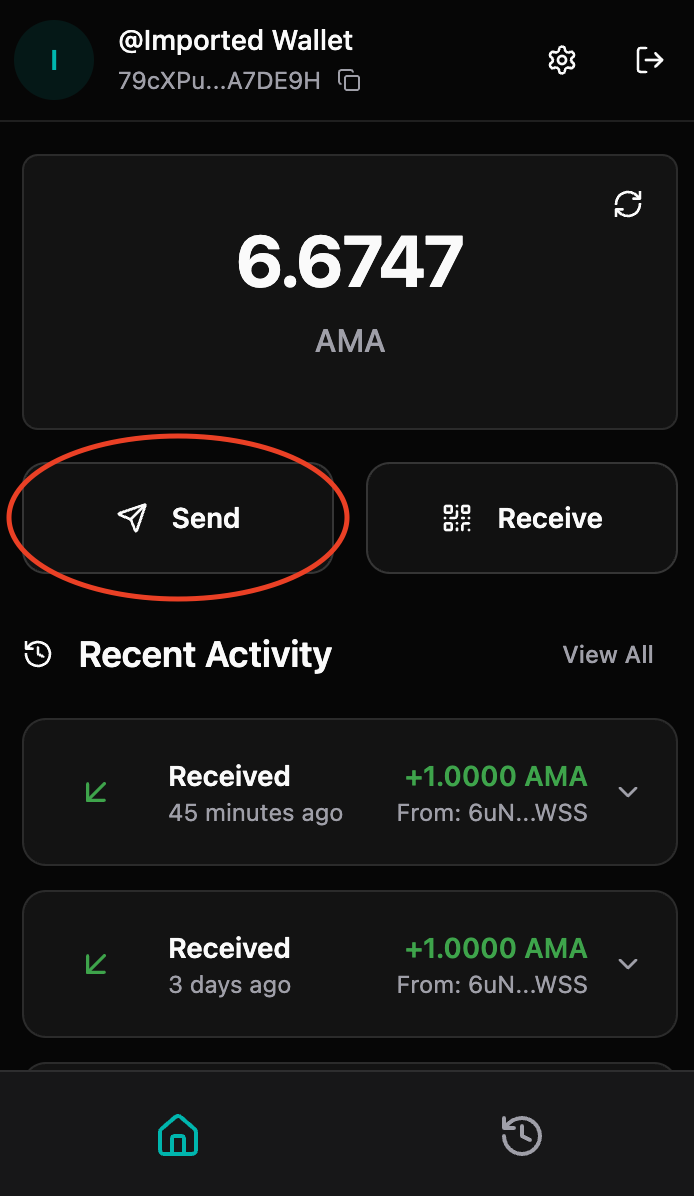
Step 1: Access Send Page
- Open the Amadeus Wallet Extension
- Ensure your wallet is unlocked
- Click "Send" button on your dashboard
Step 2: Enter Recipient Address
- In the "To" field, enter the recipient's wallet address
- You can paste the address directly
- The extension validates the address format
- Invalid addresses will show an error
- Verify the address before proceeding
- Double-check each character
- Ensure it's the correct address (transactions cannot be reversed)
- Consider copying and pasting to avoid typos
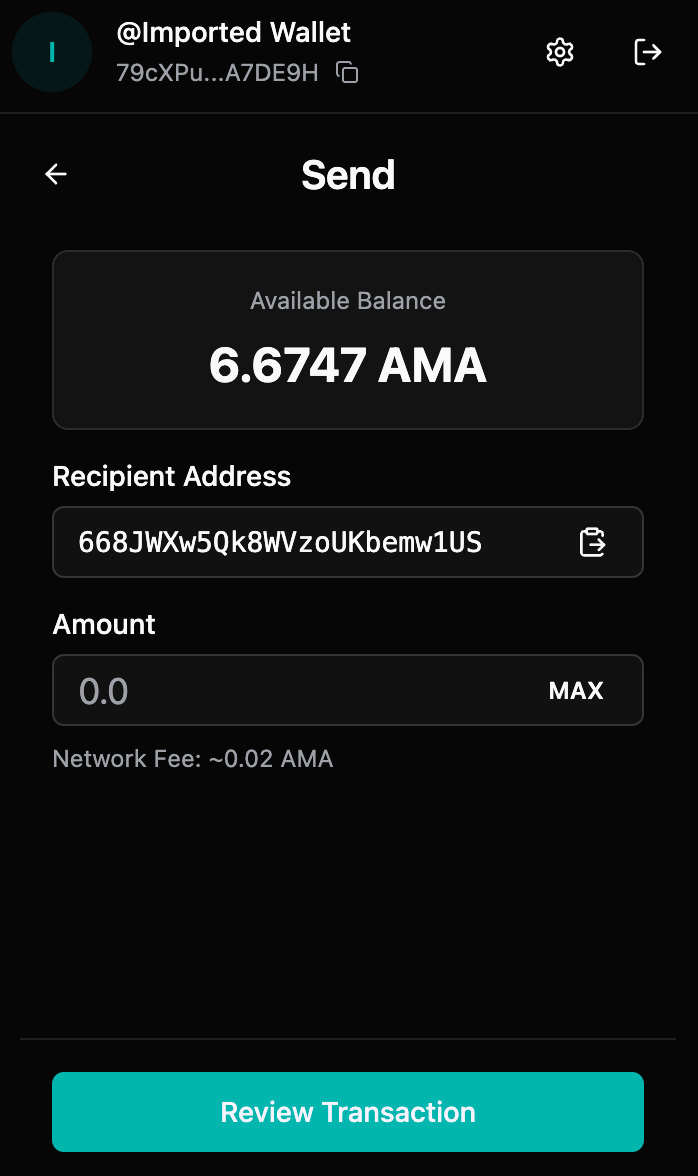
Step 3: Enter Amount
- In the "Amount" field, enter the amount you want to send
- You can enter a decimal number (e.g., 100.5)
- The amount is in AMA tokens
- Your available balance is shown below the field
- Check your balance
- Ensure you have enough tokens
- Remember: Transaction fees may apply
- The extension will warn you if balance is insufficient
<figure><img src="/img/gitbook/FEratmYnqJcPqJzEWe9A.png" alt="" /><figcaption></figcaption></figure>
Step 4: Review Transaction
Before confirming, review:
- ✅ Recipient address (correct and complete)
- ✅ Amount (correct value)
- ✅ Token type (correct token)
- ✅ Your balance (sufficient funds)
- ✅ Network (Mainnet or Testnet)
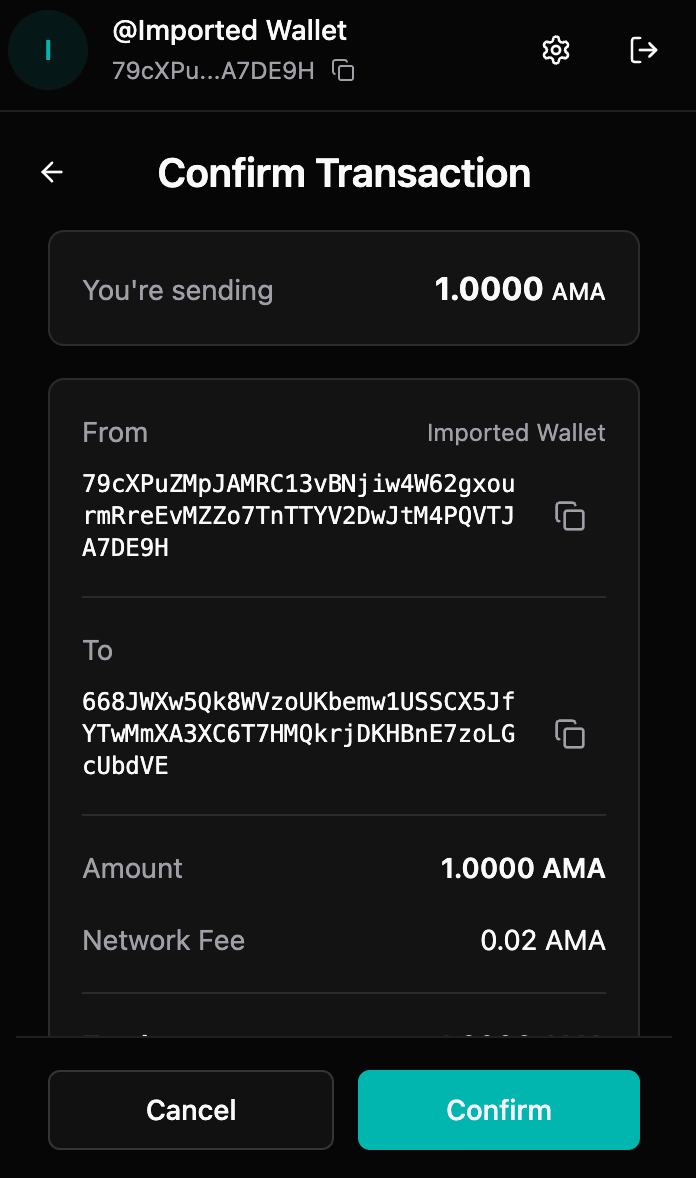
Step 5: Confirm Transaction
- Click "Confirm"
- The extension will process your transaction
- You'll see a "Processing" screen while the transaction is being submitted
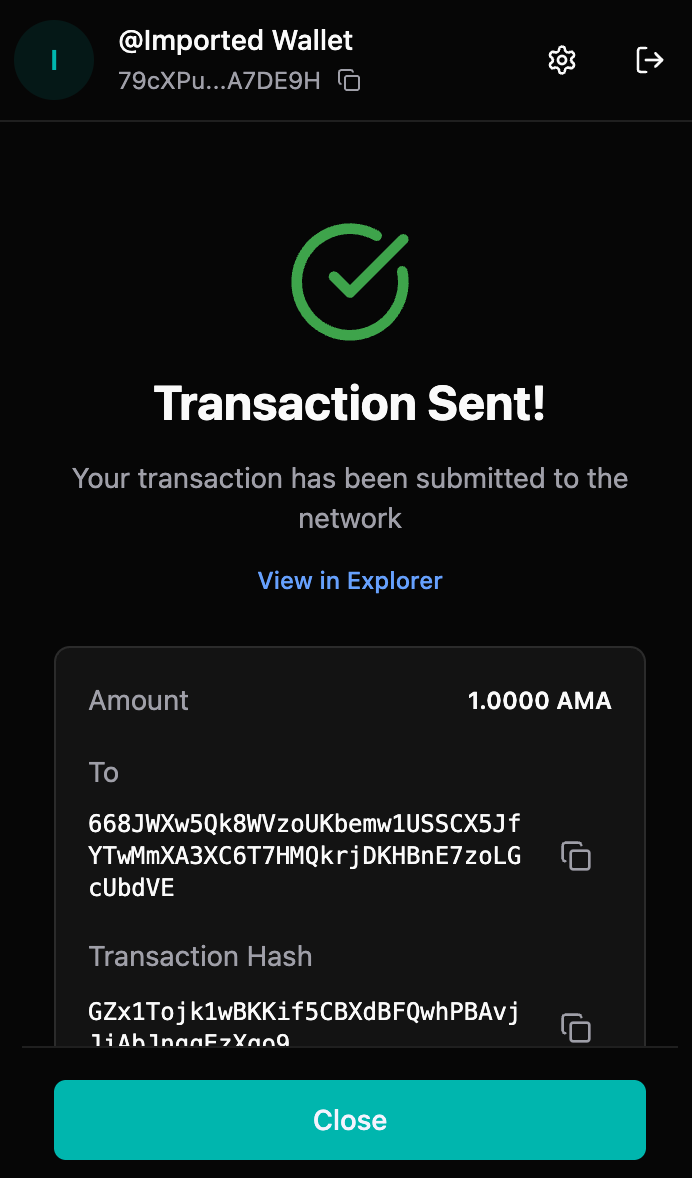
Step 6: Transaction Complete
Once processed, you'll see:
- ✅ Transaction hash (unique identifier)
- ✅ Success message
- ✅ Link to view transaction in explorer
- ✅ Option to return to dashboard
Transaction Details
Transaction Hash
Every transaction has a unique hash (transaction ID) that:
- Identifies your transaction on the blockchain
- Can be used to track transaction status
- Can be shared with the recipient for verification
- Can be viewed in the blockchain explorer
Viewing in Explorer
Click "View in Explorer" to:
- See transaction details on the blockchain
- Verify transaction status
- Check confirmation status
- View transaction on the public ledger
Transaction Fees
- Transaction fees are automatically calculated
- Fees are deducted from your balance
- Fee amount depends on network congestion
- Fees are typically minimal
Transaction Status
Your transaction can have different statuses:
- Pending: Transaction submitted, waiting for confirmation
- Confirmed: Transaction included in a block
- Failed: Transaction failed (insufficient funds, invalid address, etc.)
Security Tips
- ✅ Always verify the recipient address
- ✅ Double-check the amount before sending
- ✅ Start with a small test transaction for new addresses
- ✅ Verify you're on the correct network (Mainnet vs Testnet)
- ❌ Never send to addresses you don't trust
- ❌ Be cautious of phishing attempts asking for tokens
Troubleshooting
"Insufficient balance" error
Causes:
- Not enough tokens in your wallet
- Transaction fees exceed available balance
- Network fees increased
Solutions:
- Check your current balance
- Reduce the amount you're sending
- Ensure you have enough for fees
Transaction stuck/pending
Possible causes:
- Network congestion
- Low transaction fee
- Network issues
Solutions:
- Wait for network confirmation
- Check transaction status in explorer
- Verify network connectivity
- Contact support if stuck for extended period
Wrong address entered
Important: Transactions cannot be reversed!
If you haven't confirmed yet:
- Simply cancel and re-enter the correct address
If already sent:
- Unfortunately, tokens sent to wrong addresses cannot be recovered
- Always double-check addresses before confirming
Transaction failed
Common causes:
- Invalid recipient address
- Insufficient balance
- Network error
- Contract execution error
Solutions:
- Verify recipient address format
- Check your balance
- Try again after checking network status
- Review error message for specific issue
Best Practices
- Test First: Send a small amount first when using a new address
- Verify Address: Always double-check recipient addresses
- Check Network: Ensure you're on the correct network
- Keep Records: Save transaction hashes for your records
- Monitor Balance: Keep track of your balance after transactions